Persistent sessions
Keep task state attached to the run.
Hosted run state keeps the transcript, tool calls, approvals, and status together across lightweight and machine-backed paths.
Identity and mediated activity
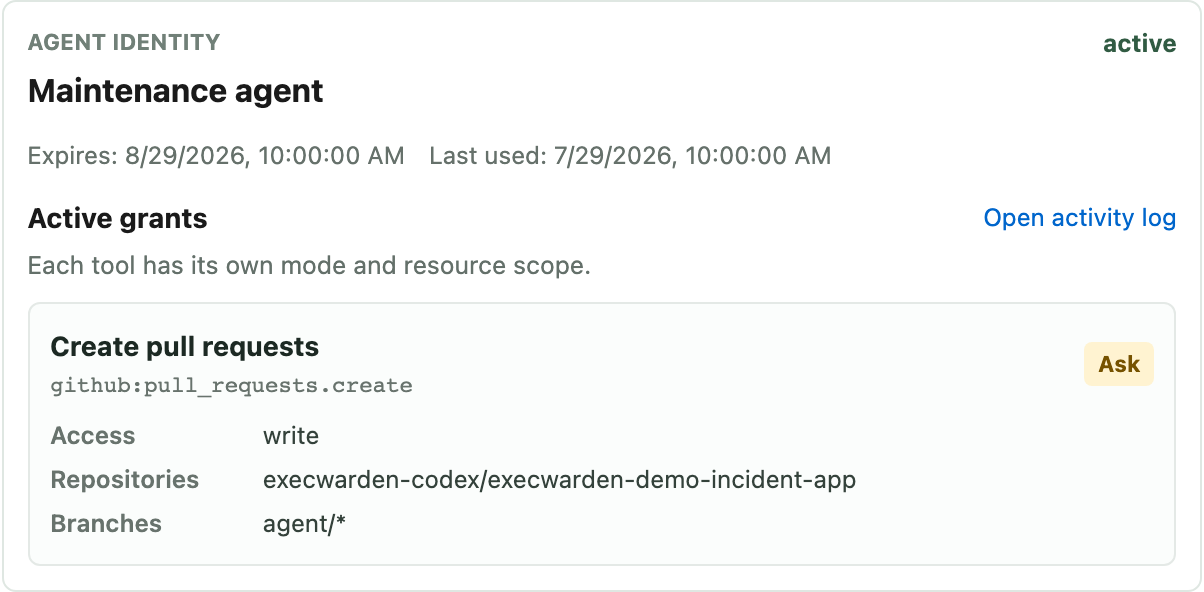
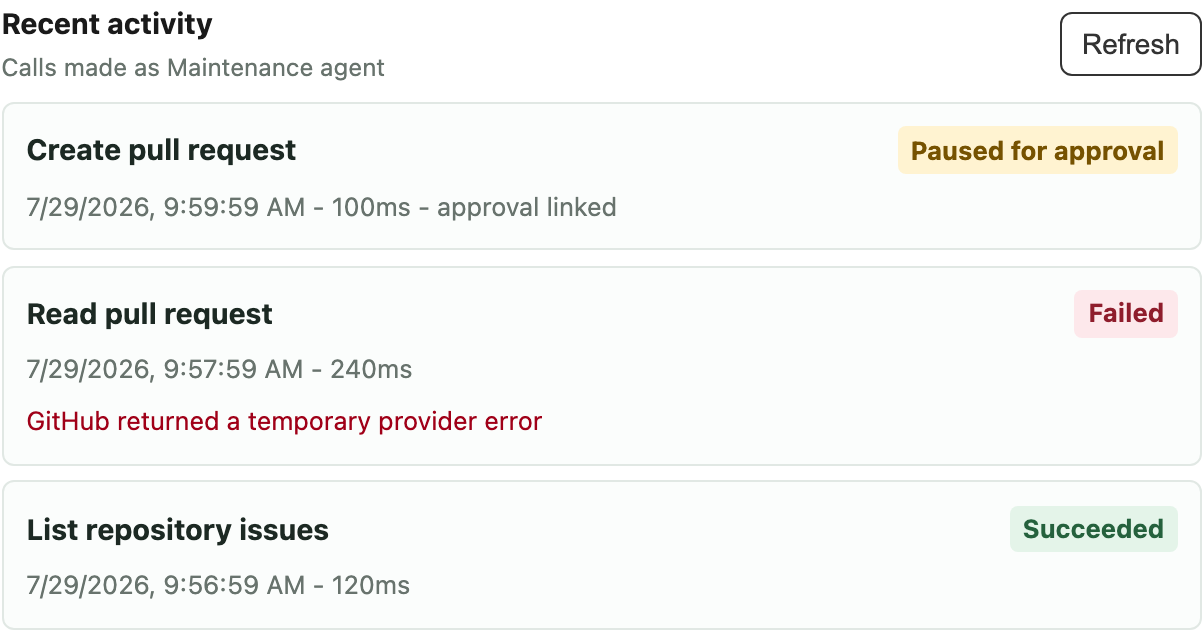
Each named Agent identity keeps its authority and mediated tool-call records together. The activity log does not claim visibility into commands or credentials used directly inside a connected execution environment.
What you can do
Start with bounded JavaScript, bounded public HTTP where enabled, and granted capabilities. Add a customer-configured VM, Docker environment, or local machine only for tasks that need shell, files, git, browser, tests, or private-network access.
Persistent sessions
Hosted run state keeps the transcript, tool calls, approvals, and status together across lightweight and machine-backed paths.
Tool boundary
Attach GitHub, package-backed APIs, and imported MCP tools through scoped Agent authority. Configure execution capacity separately when the task needs a machine.
Compute when needed
A customer-configured VM, Docker environment, or local machine supplies the shell, files, git, browser, processes, and network access configured for the task.
Examples
Get started during beta
Use the app during beta, or open the docs and choose the first agent task you want to govern.