Compatibility
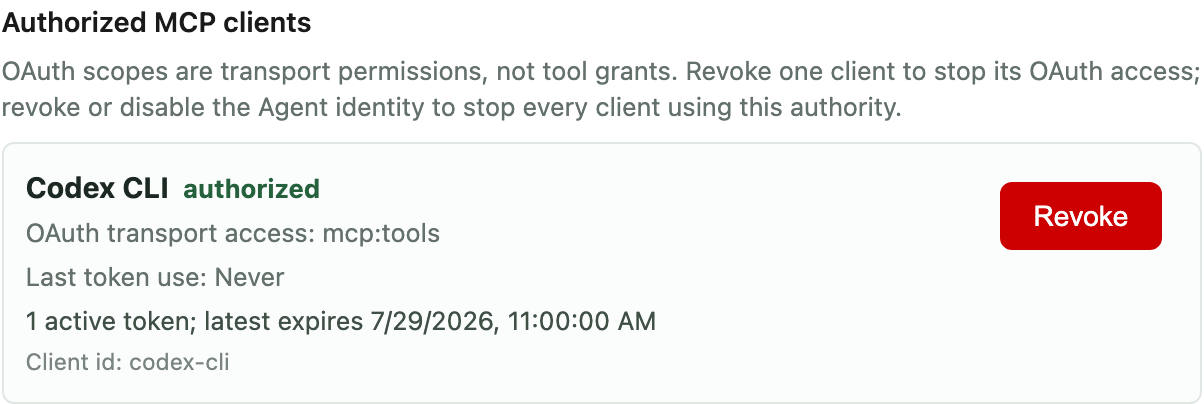
Tested MCP registration and bearer-authenticated connectivity for Codex CLI, Claude Code, and OpenCode.
Product proof
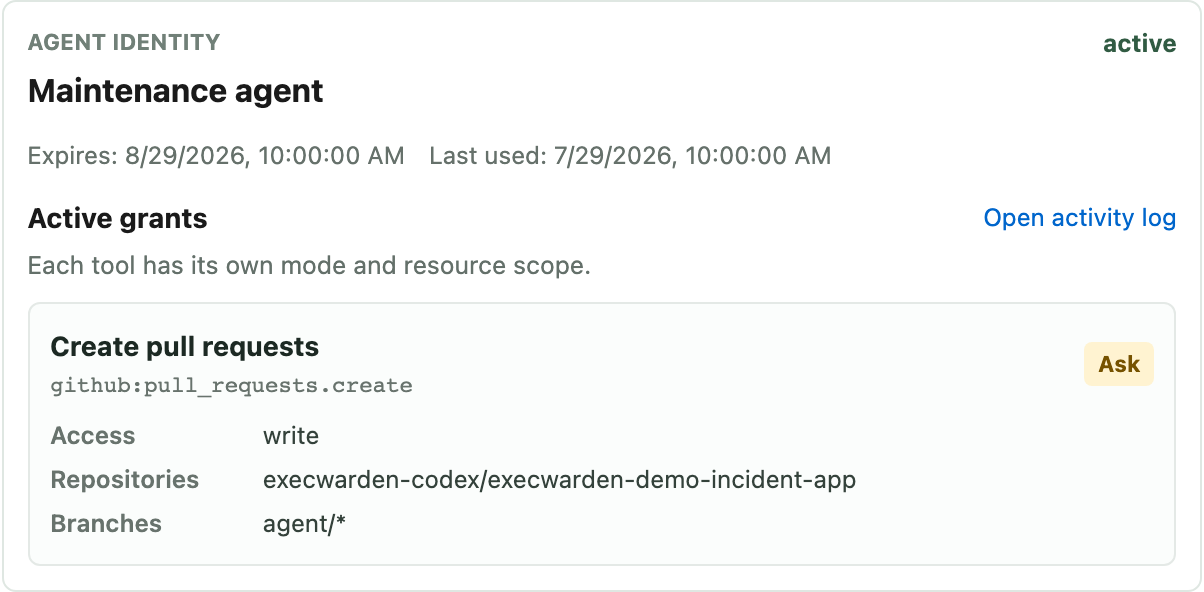
OAuth controls the MCP transport. The named Agent identity and its per-tool grants control what the client can actually do.
Integration shape
Compatibility
Tested MCP registration and bearer-authenticated connectivity for Codex CLI, Claude Code, and OpenCode.
Credential path
The client receives a scoped Agent identity. Underlying provider credentials stay behind ExecWarden.
Governed actions
GitHub, package-backed tools, imported MCP tools, approvals, expiry, and revocation follow the grants on that identity.
Not implied
This is governed MCP connectivity and tool access, not a hosted model session or native IDE integration inside ExecWarden.
Start
Register one client, issue one Agent identity, and grant one bounded tool set.
How access is decided
MCP authentication identifies the caller. Per-tool grants decide what it can discover and invoke.
Tested connectivity
The grounded path today is an ExecWarden MCP setup for supported local clients, not a hosted model session inside ExecWarden.
Client identity
A local agent, hosted session, or remote runtime acts through an Agent identity that can expire, be disabled, or be revoked.
No broad token copy
The agent receives a scoped MCP credential, not the raw provider token stored by ExecWarden.
Where teams start
Connect an MCP client
Start with the tested MCP setup path for the client you already want to use, then grant only the tools the task needs.